During the ten years of my love-hate relationship with X-Windows, I’ve often tried and enjoyed using full-fledged desktop environment (starting with KDE and later sometimes GNOME too), but, given time, I always gravitate back to WindowMaker.
XTerm
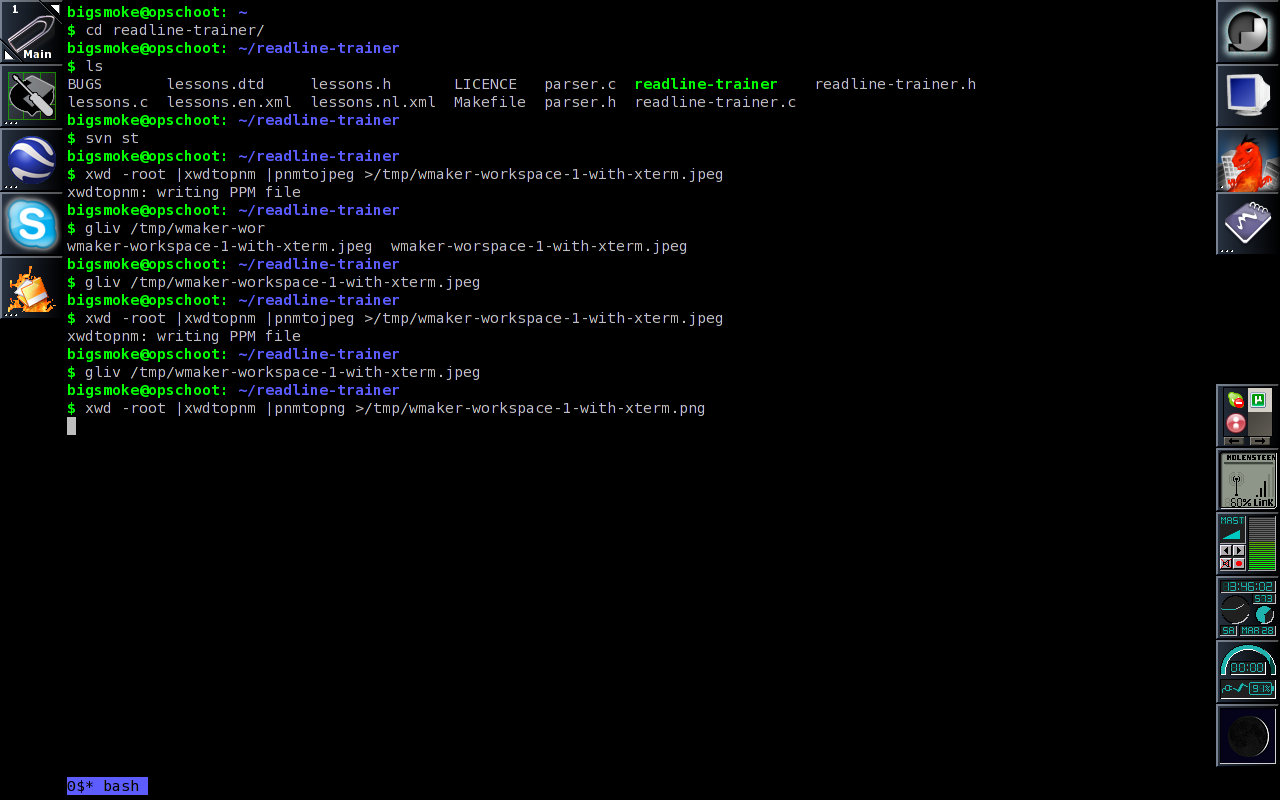
I’m not so big on the whole desktop metaphor thing. The longer I’ve been using Unix-like systems, the more dependent I’ve become on the command-line. My current Window Maker configuration is a testimony to this. If you look at my Main Window Maker Workspace, you’ll notice that I actually use an Xterm instead of a desktop. Also, I don’t have a wallpaper. No wallpaper, no icons: I just want my prompt, in a nice font.
I despise graphical file managers. It feels like having to type without fingers. I’m not advocating the use of a command-line shell for new users or anything but for somebody like me who is used to calling programs “by hand”, a GUI is pure torture. With a GUI, I end up having to find a specialized program for a lot of mundane tasks which can be accomplished in Bash with a simple loop and a few filters. Renaming a few hundred files springs to mind.
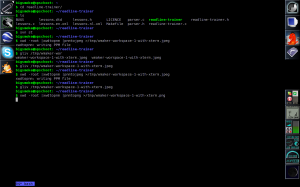
My Main Window Maker Workspace
GNU Screen provides for “tabs” in my XTerms and some other features I’ve come to depend on. That’s why, upon login, my Main Workspace appears with xterm -e screen
already started. The Windows Key + T fires up another XTerm with a fresh screen session. If I want to attach to a previous Screen session, I use Window+Shift+T. This starts an XTerm without Screen.
Starting applications
I don’t like the applications menu, but I’ve added a few applications to it anyway to be able to bind short keys to them (Win+F for Firefox and Win+T for XTerm). When I want to start any other application, I use the run dialog (bound to Win+R) or I execute the app from an XTerm window. I don’t usually start applications by clicking their App Icon.
File viewers (such as Mplayer, Gliv, Okular, xlview, and wordview) are always started from an XTerm or from Firefox, because that’s where all my file arguments originate. These apps don’t need App Icons, especially because I don’t see them as belonging to any particular workspace.
All keyboard shortcuts
Instead of Alt, I use the Window key (Mod4) a lot for my keyboard shortcuts.
cat /home/bigsmoke/GNUstep/Defaults/WindowMaker |grep -i key|sed -e 's/^\s*//'|sort
CloseKey = "Mod4+Q";
FocusNextKey = "Mod4+Tab";
FocusPrevKey = "Shift+Mod4+Tab";
HideKey = "Mod4+H";
HideOthersKey = "Shift+Mod4+H";
HMaximizeKey = None;
LowerKey = "Mod4+Down";
MaximizeKey = "Mod4+M";
MiniaturizeKey = "Mod4+period";
ModifierKey = Mod4;
MoveResizeKey = None;
NextWorkspaceKey = "Shift+Mod4+Right";
PrevWorkspaceKey = "Shift+Mod4+Left";
RaiseKey = "Mod4+Up";
RootMenuKey = "Mod4+A";
ScreenSwitchKey = None;
ShadeKey = "Mod4+minus";
ToggleKbdModeKey = None;
WindowListKey = "Mod4+W";
WindowMenuKey = "Mod4+Escape";
WindowShortcut10Key = None;
WindowShortcut1Key = "Mod4+1";
WindowShortcut2Key = "Mod4+2";
WindowShortcut3Key = "Mod4+3";
WindowShortcut4Key = "Mod4+4";
WindowShortcut5Key = "Mod4+5";
WindowShortcut6Key = "Mod4+6";
WindowShortcut7Key = None;
WindowShortcut8Key = None;
WindowShortcut9Key = None;
Workspace10Key = None;
Workspace1Key = "Mod4+F1";
Workspace2Key = "Mod4+F2";
Workspace3Key = "Mod4+F3";
Workspace4Key = "Mod4+F4";
Workspace5Key = "Mod4+F5";
Workspace6Key = "Mod4+F6";
Workspace7Key = "Mod4+F7";
Workspace8Key = "Mod4+F8";
Workspace9Key = None;
One annoyance is that, when switching through the Windows in the current Workspace (in my case, with Win+Tab and Win+Shift+Tab), doesn’t disappear unless an additional key press is given (such as an extra Tab).
Another annoyance is in my configuration. My keyboard has some space after every 4 function keys. Also, like always, the function keys are a bit far removed from the home row on the keyboard. So, I should consider switching through workspaces with Win+1 through Win+7 instead of Win+F1 through Win+F7. I’ve now bound the Win+<number> keys to a Window 1 to 10, but this seems to be terribly broken anyway in Window Maker (I can only switch to the first window in the first workspace this way). Also, I probably wouldn’t use it even if it did work, unless if they displayed the window numbers on the app icons or something and if they did the numbering on a workspace basis instead of globally. So, I’m probably going to change this soon.
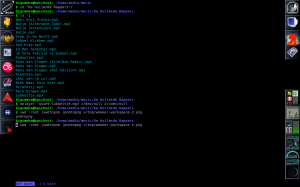
My Window Maker Workspace for Audio
Workspaces
One of the things I’ve always like about X Window Managers is the support for multiple virtual desktops, called Workspaces in Window Maker. I use topical workspaces, one workspace per application category. It’s possible to configure app icons to always start the application in the correct workspace regardless of where it is started from. My Workspaces are called Main, Audio, Video, Down, w3dev and Image.
If I want to look at my downloads, I know that I just have to switch to Workspace 4 (Down) regardless of what I’m downloading. The same goes when I want to switch a song (be it in Mplayer (in an XTerm) or in the Last.fm Player): I press Win+F2.
Here’s a list of all the app icons divided over my different workspaces:
- Main: Window Maker Preferences, Google Earth, Skype, Filelight
- Audio: Rosegarden, Audacity, Hydrogen, Last.fm, Grip, Ardour, ReZound, Gnaural
- Video: Cinelerra
- Down: BitTorrent, uTorrent, Transmission
- w3dev: MSIE, Konqueror
- Image: Krita, Inkscape, GIMP, Color Schemer Studio
I have a widescreen laptop, so I display all these per-workspace icons (with the Clip) vertically at the top left. At the bottom left I display the “Icon List”. This is used by WindowMaker for icons that are not already in the Clip or in the Dock.
At the right I display the dock with the XTerm icon and the Firefox icon. There’s also an Emacs icon there from the time that I wanted to learn Emacs. (Sadly, I know VIM too well to change.)
Below that, also at the right, are the Dock Apps: wmsystray, WMWiFi, wmmixer, WMitime, wmbattery, and of course wmMoonClock.
Why Window Maker
With all this reluctance to click on icons, you’d wonder if I wouldn’t be better of trying something more keyboard centric such as StumpWM (the successor of Ratpoison).
If I will, I’ll let you know.

Recent Comments